Learn Data Engineering
Learn everything data with DataPallas — SQL, data modeling, ETL/ELT and more, told as a Greek-myth dialogue.
DataPallas is not just a good BI data platform — it's also a learning forge. These short, mythic dialogues follow Leo, a curious mortal, as the gods of Olympus show him how to master everything data: SQL, data modeling, ETL/ELT, data architecture — and how to prototype real solutions with AI, without ever sending your data to the cloud.
These are hands-on tutorials — you need DataPallas installed and running on your computer to follow along. New to DataPallas? It only takes about 5 minutes: install it first with the QuickStart in 5 Minutes guide.
Table of Contents
- The Path of the DataPallas Apprentice
- Write Your First Query — SQL Fundamentals
- Start PostgreSQL & CloudBeaver
- Koans & Katas
- DuckDB CLI (Optional)
The Path of the DataPallas Apprentice
Mnemosyne shows Leo how to use DataPallas as his personal secret weapon — spin up databases in seconds, prototype boldly, and learn relentlessly, even if his company stays on legacy tools.
Series 1 — SQL Fundamentals: Write Your First Query
Stop watching SQL tutorials and start writing SQL. In this first hands-on lesson, Mnemosyne teaches Leo the SQL-thinking loop — ask your question in plain language, turn it into SQL, guess the result, then run and compare — and has him run his very first real query on production-like Northwind data, live in CloudBeaver. The loop is the skill.
PostgreSQL & CloudBeaver
The lessons above run their queries on a Northwind PostgreSQL database through CloudBeaver — both bundled with DataPallas, nothing extra to install. Here's how to start them so you can follow along.
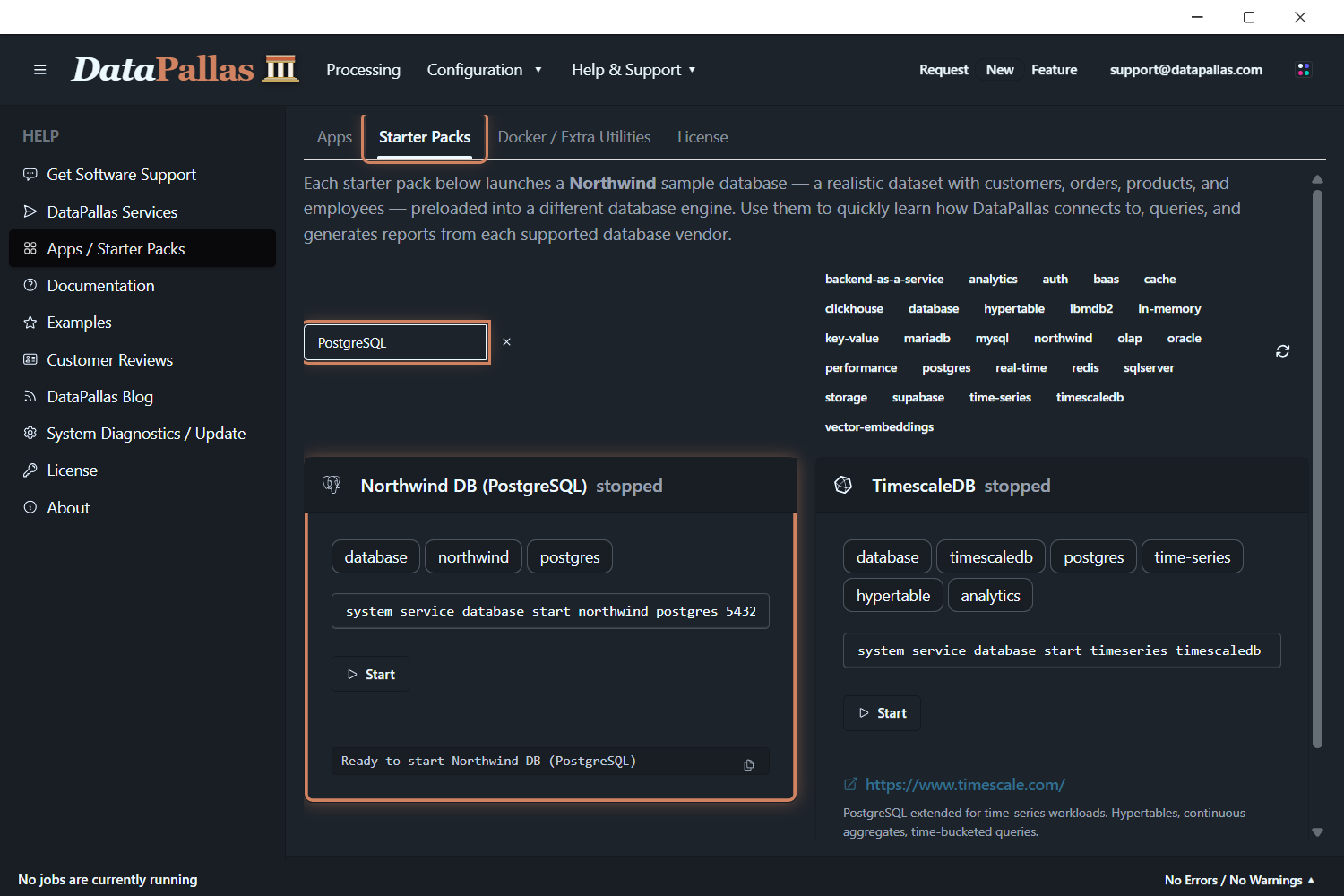
1. Start the Northwind PostgreSQL starter pack. Open Apps / Starter Packs, switch to the Starter Packs tab, find Northwind DB (PostgreSQL), and click Start.
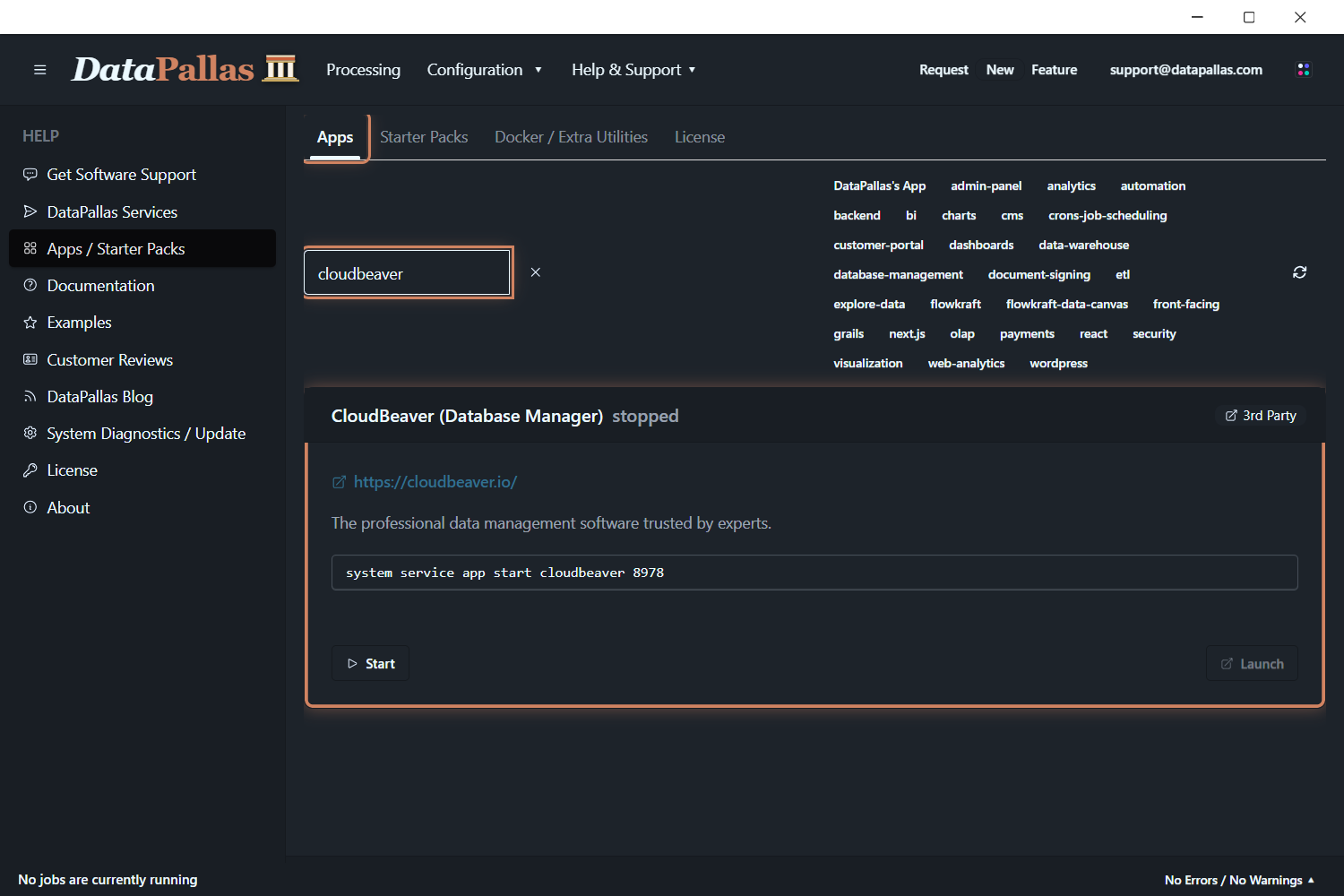
2. Start CloudBeaver. Switch to the Apps tab, find CloudBeaver (Database Manager), click Start, then Launch to open it in your browser.
Once CloudBeaver opens, create a new PostgreSQL connection with these details:
| Field | Value |
|---|---|
| Driver | PostgreSQL |
| Host | host.docker.internal |
| Port | 5432 |
| Database | Northwind |
| Username | postgres |
| Password | postgres |
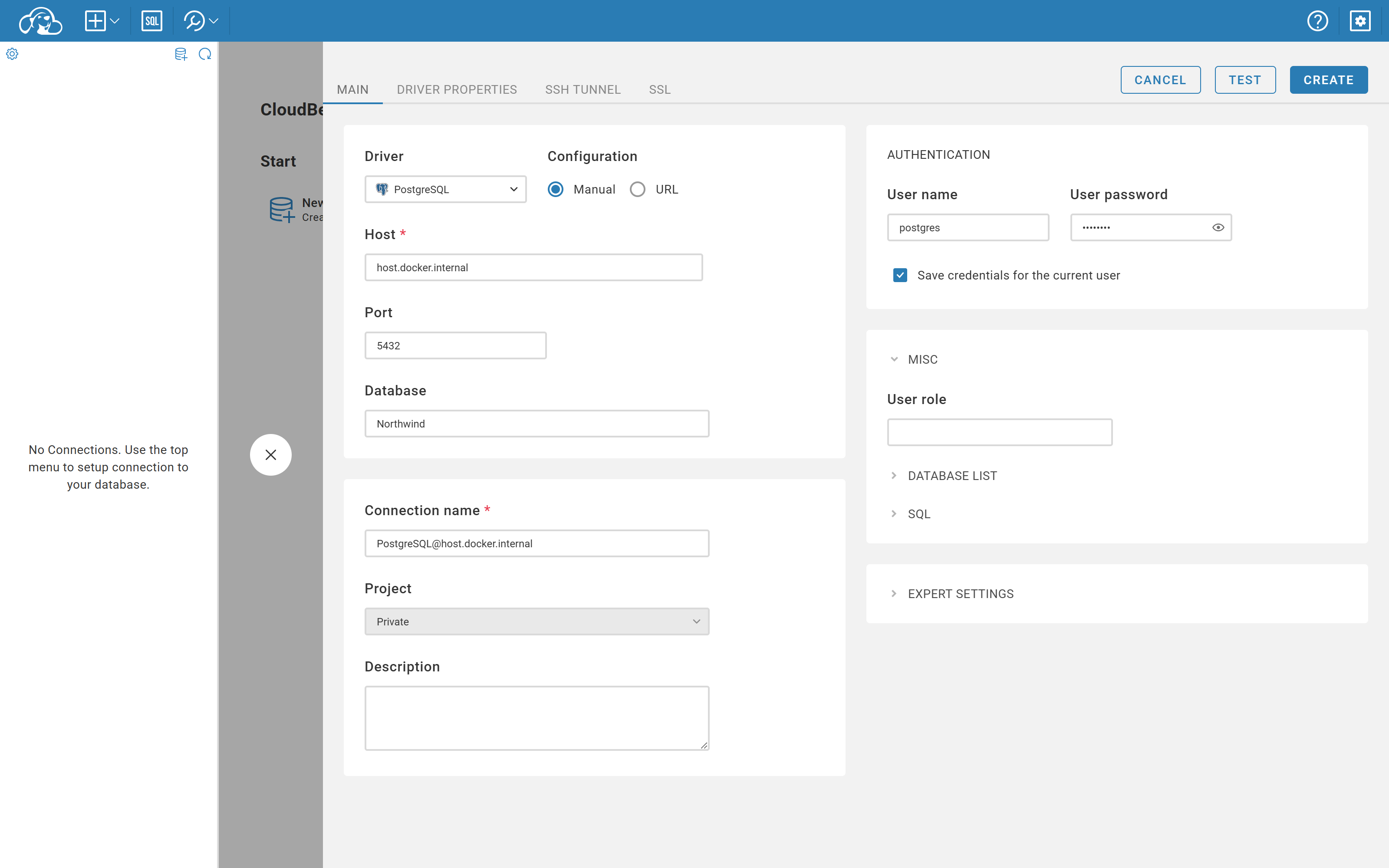
Tick Save credentials for the current user, click Test to confirm it connects, then Create. That's it — you're ready to run the queries from the lessons above.
Koans & Katas
Each lesson is reinforced with koans and katas — two time-tested ways programmers turn knowledge into skill. They're the practice that makes the theory stick.
- Koans — are tiny fill-in-the-blank exercises. Each one is a failing test with a
___blank; replace the blank to make it pass, and the next koan unlocks, step by step "to enlightenment." You learn SQL by doing, not watching. - Katas — are small, repeatable practice problems you solve again and again until the technique is second nature, the way a musician drills scales.
Run the koans
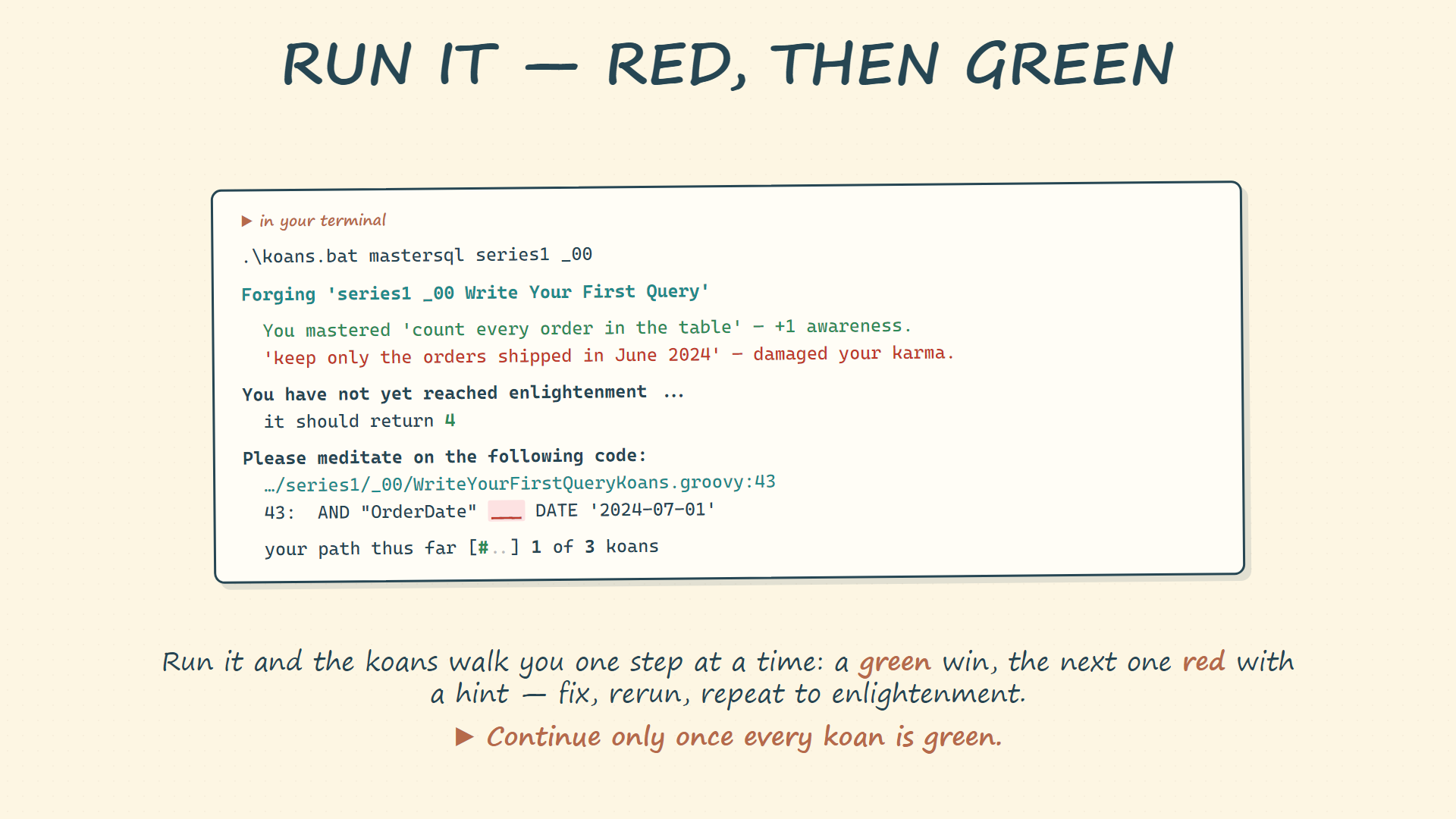
Once DataPallas is set up, open a terminal and run the koans for a specific course / series / episode:
cd c:/DataPallas/db/datazeus
.\koans.bat mastersql series1 _00Each run walks you one step at a time — a green win, then the next koan red with a hint. Fix the blank, rerun, and repeat all the way to enlightenment.
Edit the koans
Edit the koan files in any text editor — Notepad++ or VS Code both work great. Install either with Chocolatey:
Open the koan file, replace each ___ blank with the right SQL, save, and rerun until every koan turns green.
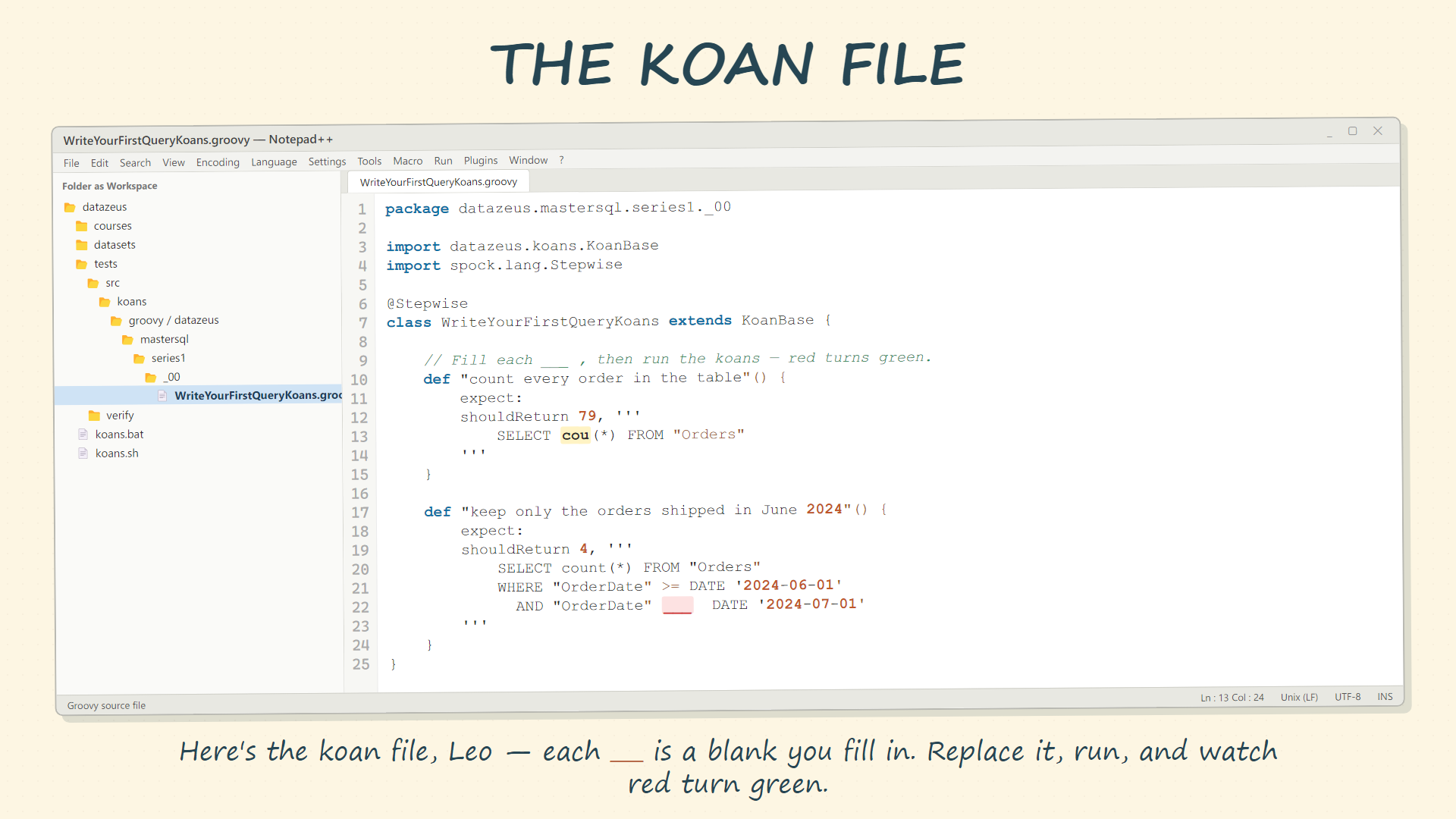
choco install notepadplusplus --yeschoco install vscode --yesDuckDB CLI (Optional)
Prefer the keyboard over a GUI? The DuckDB CLI runs SQL straight against the northwind.duckdb file — no server to start, no browser. It's the very same Northwind data CloudBeaver shows, so every query from the lessons works here too. (DuckDB is case-insensitive, so even unquoted names resolve — but keep to the ANSI double-quoted form so the same query also runs on PostgreSQL.)
Install it with Chocolatey:
choco install duckdb --yesThen open the database file and run a query:
C:\DataPallas\db\datazeus> duckdb northwind.duckdbDuckDB v1.1.3 19864453f7Enter ".help" for usage hints.northwind D SELECT count(*) AS orders FROM "Orders"· WHERE "OrderDate" >= DATE '2024-06-01'· AND "OrderDate" < DATE '2024-07-01';┌────────┐│ orders ││ int64 │├────────┤│ 4 │└────────┘northwind D